How to track a price on any website, not just Amazon
$849 for that bike. Is that a good price? Was it $799 last week? Unless you wrote it down, you'll never know.
What price trackers cover
Set it up with one sentence
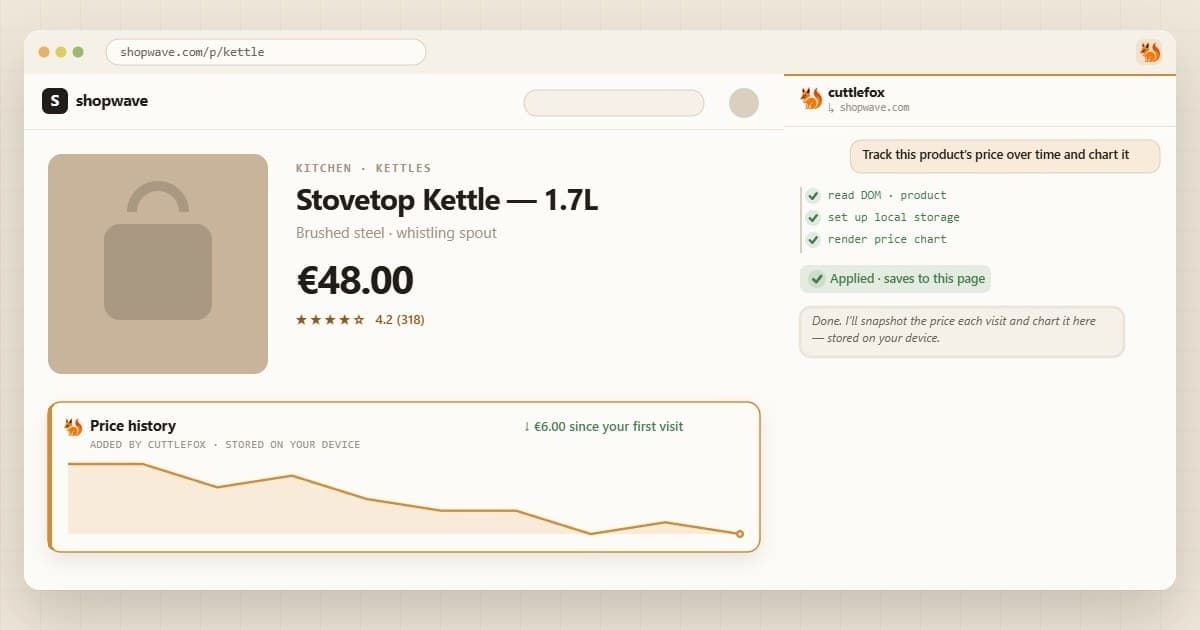
Open the product page, open Cuttlefox, and type:
Every time I open this page, save the price. Show how it changed since my last visit and draw a small chart of the history.
Save it for similar pages, like everything under /product/, and every product on that store gets its own tracker.
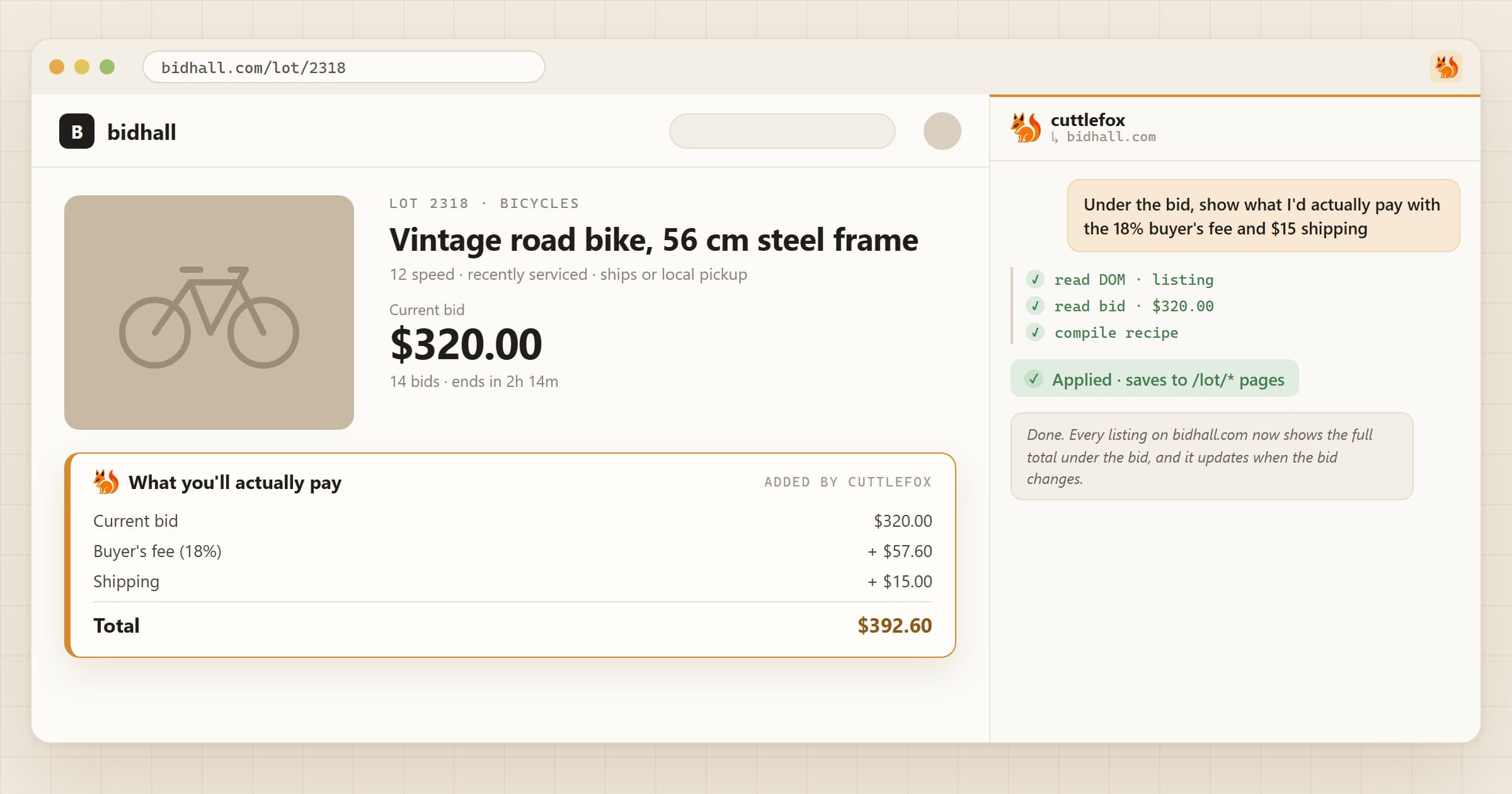
Bonus: see the price you'll actually pay
Cuttlefox started here. An auction site we used showed the bid, but not the 18% buyer's fee or the shipping, so every bid meant reaching for a calculator. The first Cuttlefox edit ever made put the real total right under the price.
The same idea works at the supermarket:
Show the price per 100 g next to every product, and highlight the cheapest one.
That matters more than you'd think. When the consumer group Which? showed 2,000 UK adults real supermarket examples, 72% couldn't work out which item was cheapest.
Good to know
- There are no background checks. The history only grows when you open the page.
- The history stays in Chrome on this computer. It doesn't sync to your other devices.